

Cybersecurity tools for small businesses are essential because they protect the business: emails, websites, customer data, payments, staff devices, and other accounts. Learn more.
Regardless of the size of your business, you can get the tools you need to safeguard your digital assets. Here are some cybersecurity tips for small businesses and some of the specific SMB cybersecurity tools you can use to tighten your defenses against hackers and breaches.
The right kind of tool is available – you’re not just interested.
There are many types of cybersecurity tools for small businesses, and getting the right kinds of security hardware or software can empower your business to maximize its potential without sacrificing safety. The key is to choose the tech that will keep you one step ahead of attackers and the diverse mix of threats on the landscape.
Whether you want to protect employees who use email, your business’s applications, websites, or endpoints, there are several options to choose from.
Cybersecurity tools for Small Businesses
The cybersecurity tools you choose will vary based on the design of your network. But regardless of how your digital infrastructure is set up, you have plenty of options for protecting it. The first step is to identify the most valuable digital assets like client data, websites, emails, payment accounts, admin logins, cloud storage, laptops, and servers. as well as where your network may be the most vulnerable.
before choosing security tools, first understand what you are protecting and where attacks are most likely to enter.
For many modern businesses, the most glaring vulnerabilities are found in the endpoints (the devices that connect to the network — laptops, phones, staff computers, printers, remote workers’ devices) that connect to their network as opposed to the network’s internal assets.
Spending some time analyzing who and what connects to your network and how data flows through it makes it easier to maximize your protection.
Here are some cybersecurity tools for small businesses you can use to protect your business from ransomware, phishing, hackers, and other types of threats.
1. Endpoint detection and response (EDR)
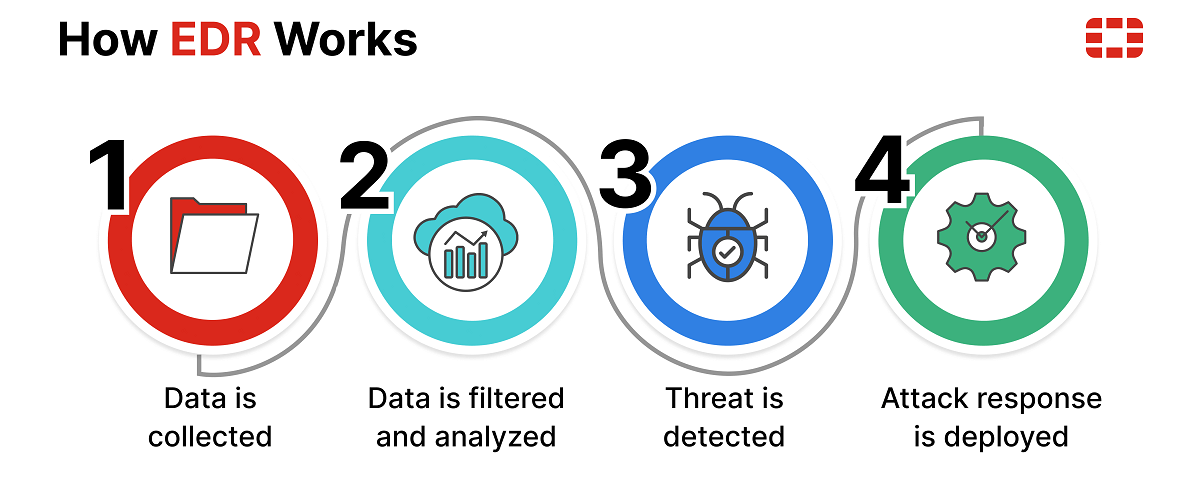
If someone connects to your network and they have malicious intentions, your endpoint detection and response system can provide detailed information about the device that connected, as well as data about its activity while joined to your network.
EDR is a category of security tools for laptops, desktops, and servers.
Examples include Microsoft Defender for Endpoint, CrowdStrike Falcon, SentinelOne, etc. They watch endpoints for suspicious behavior, malware, strange logins, ransomware activity, weird processes, and they can isolate a device from the network if it looks compromised.
Defender is best if your business already uses Microsoft 365 and has under 300 users; Sophos is strong if you want simple endpoint protection with optional managed help; Bitdefender is good for small teams that want easy protection against ransomware/phishing without much cyber staff.
2. Antivirus software
Although antivirus software has traditionally been very good at combating computer viruses, modern antivirus solutions also do a great job of defending against other kinds of threats. A robust antivirus program can catch a variety of malware attacks by checking your computer for evidence of known threats.
Antivirus software uses existing profiles of attacks that have impacted users. It checks your system to see if these kinds of malicious programs are on your computer, inform you about unwanted elements, and get rid of them. Consequently, with the right antivirus software, you may be able to defend yourself from many of the most dangerous threats on the cyber landscape.
3. Next-generation firewalls (NGFW)
Next-generation firewalls (NGFWs) provide broad protections against an array of threats, while also making it easier for outside users to enjoy secure connections to your network. They work by inspecting data packets as they are sent to and from your network. If a known threat is detected, your NGFW can automatically discard the problematic data packet.
Also, the right kind of next-generation firewall uses machine learning that can pinpoint malicious behavior. In this way, even zero-day attacks can be stopped because the nature of the malicious code can be detected without the system having to have been informed of its existence beforehand.
An NGFW can also be used to set up a virtual private network (VPN).
4. Domain name system (DNS) protection
Domain Name System (DNS) protection gives you an extra layer of defense by preventing employees from accessing dangerous websites. These systems can also filter out content you do not want infiltrating your network—as well as content you would prefer your users to not access.
For example, if an employee habitually accesses a website with known threats in their private time, they may try to connect to that same site while at work. Your DNS protection service can prevent them from connecting to it while they are on your network.
the “tool” is usually a DNS/security provider you put in front of your domain, not a separate app you install. For staff/devices, tools like Cisco Umbrella, NextDNS, or Cloudflare Gateway/WARP may have an app/agent you install on laptops/phones so shady sites get blocked wherever the person is.
For your domain, use something like Cloudflare first: it protects your DNS records, adds DNSSEC, and helps block DNS attacks/DDoS. Other tools are Cisco Umbrella for blocking dangerous websites before staff visit them, Quad9 for free threat-blocking DNS, and Google Cloud DNS/AWS Route 53 for stronger managed DNS hosting.
For a small business website, Cloudflare DNS + DNSSEC is the simplest starting point.
DNS protection can help with:
- Keeping your website reachable — stops some attacks that try to knock your domain/site offline.
- Stopping domain hijacking — helps prevent hackers from changing where pishondesigns.org points.
- Blocking fake redirects — stops visitors from being silently sent to a scam version of your site.
- Protecting email trust — DNS records help prove your emails are really from you, reducing spoofing/phishing.
- Blocking dangerous sites — yes, for staff/devices, it can stop access to malware/phishing sites.
5. Email gateway security
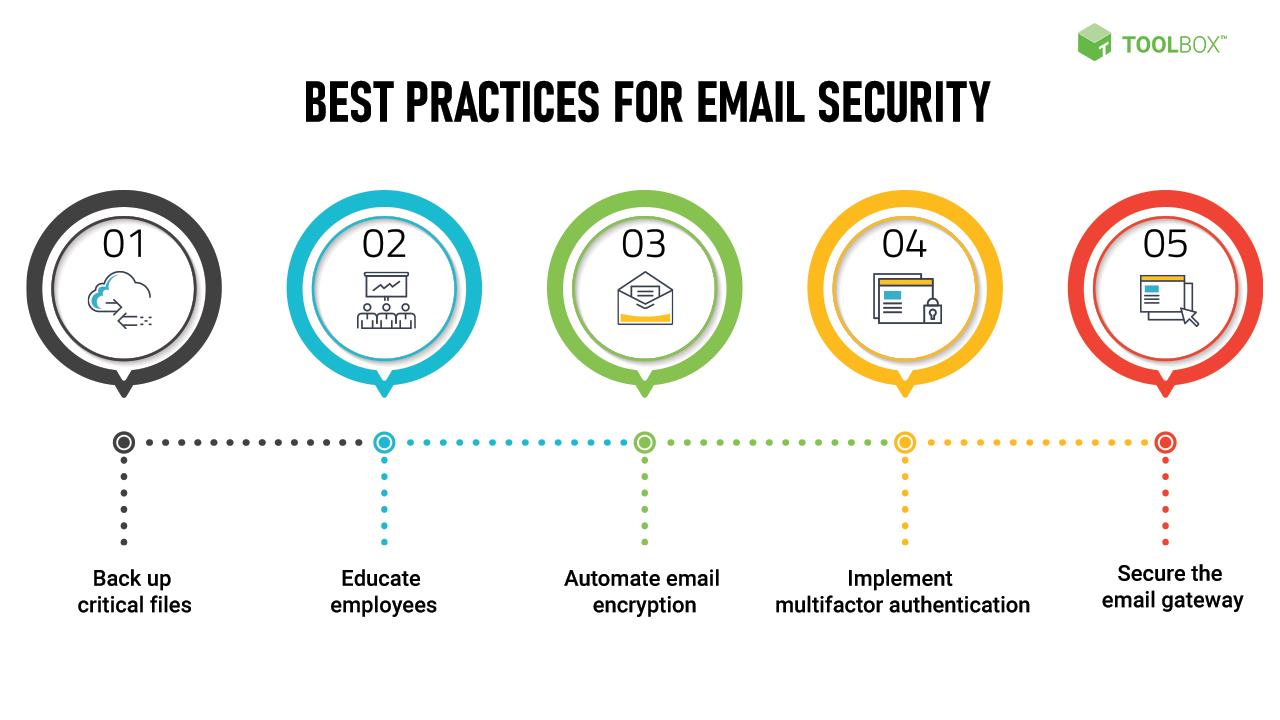 With email gateway security, you can prevent undesirable email from infiltrating the accounts of your users. This includes both irritating email like spam and more direct threats, such as emails containing malware.
For instance, suppose you have another small office connected to your main base of operations through a software-defined wide-area network (SD-WAN) and you want to ensure all users are protected, regardless of where they are. With an email gateway security system, while they are using your small business’s email service, they will not receive the kinds of messages you identify as dangerous or unwanted. This keeps threats outside your network while also ensuring email storage space is not wasted on spam.
This largely depends on what kind of server you have. On a shared hosting server, you usually cannot install deep server tools yourself unless you have VPS/dedicated/root access.
On normal shared hosting, your realistic security tools are Cloudflare DNS/WAF, Wordfence or Solid Security for WordPress, strong passwords/2FA, backups, SSL, updated plugins/themes, email records like SPF/DKIM/DMARC, and whatever security the host provides, like malware scanning, ModSecurity, account isolation, and server firewall.
6. Intrusion detection and prevention (IDS/IPS)
IDS/IPS can be a tool, an app, or a service — depends where it is used. In plain English, IDS watches traffic and says “something suspicious is happening,” while IPS can also block it. On a company network, it may be a hardware firewall box or cloud firewall. On a server, it may be installed as software like Suricata, Snort, Wazuh, OSSEC.
 On cloud/website setups, it may be part of services like Cloudflare, AWS GuardDuty, Azure Defender, or managed security tools. So it is not usually a normal “website”; it is a security system that watches network/server activity and alerts or blocks attacks.
IDS/IPS is not just for web hosting. It can protect web servers, office networks, cloud accounts, staff laptops, and sometimes home/office Wi-Fi routers/firewalls.
For web hosting, it watches website/server attacks. For offline/internal business use, it watches network traffic between devices and the internet, like suspicious logins, malware activity, scans, or attacks. But it still needs a network/server/device to monitor; it is not “offline” like a standalone document scanner.
7. Logging and log monitoring
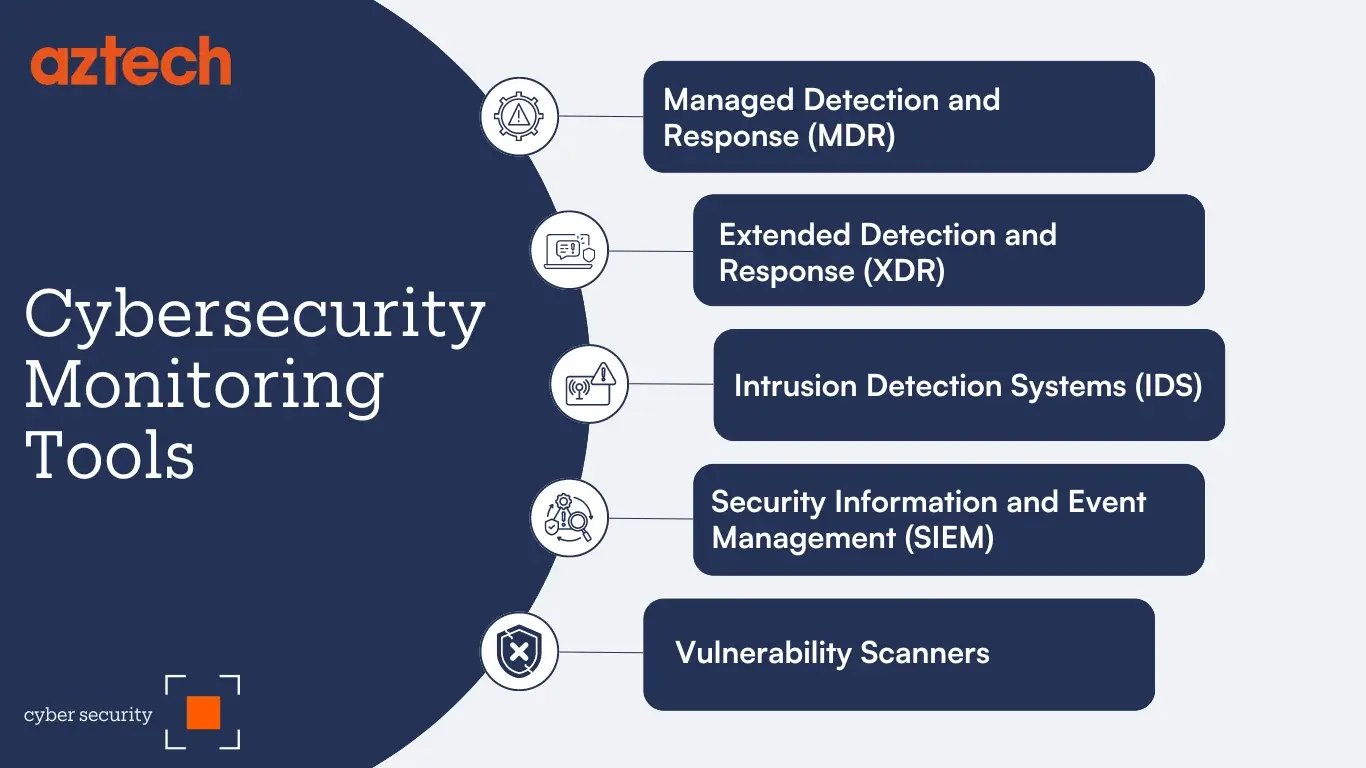
Logging the events that impact your network and monitoring activity can make it easier to stop threats and figure out how they penetrated your system in the event of a breach.
The logs provide detailed information, including time-stamped descriptions of activity, which makes correlating attacks with the devices or users that may have been the cause far easier.
Tools can be server tools like Wazuh, OSSEC, Fail2Ban, Logwatch, or Graylog; website tools like Wordfence logs; cloud tools like AWS CloudWatch or Microsoft Sentinel; or hosting dashboards that show access/error logs. In plain English: logs are the CCTV footage; log monitoring is someone watching the CCTV and raising an alarm.
8. Endpoint protection
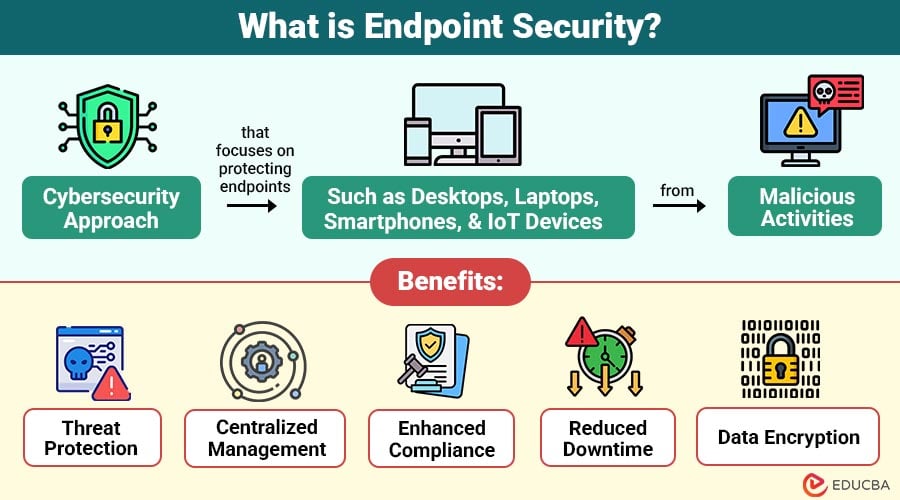
Endpoint protection focuses on protecting the actual devices people use — laptops, desktops, phones, tablets, and workstations. It watches for malware, ransomware, suspicious apps, unsafe downloads, strange behavior, and stolen-login activity. This is especially important when you have remote workers logging in to your network.
Because you have no idea which kinds of threats their devices may be exposed to when not connected to your system, it is hard to defend against the threats they may pose.
If email security protects the inbox and DNS protects the web address/directions, endpoint protection protects the device itself.
It can be a normal installed app, like Bitdefender, Malwarebytes, ESET, Sophos, Microsoft Defender, SentinelOne, CrowdStrike, or Huntress, and for businesses it usually has a dashboard where the owner/admin can see device health, alerts, and threats.
9. Authentication services/VPN
We just wrote about Yubikeys and Passkeys. Check that post out.
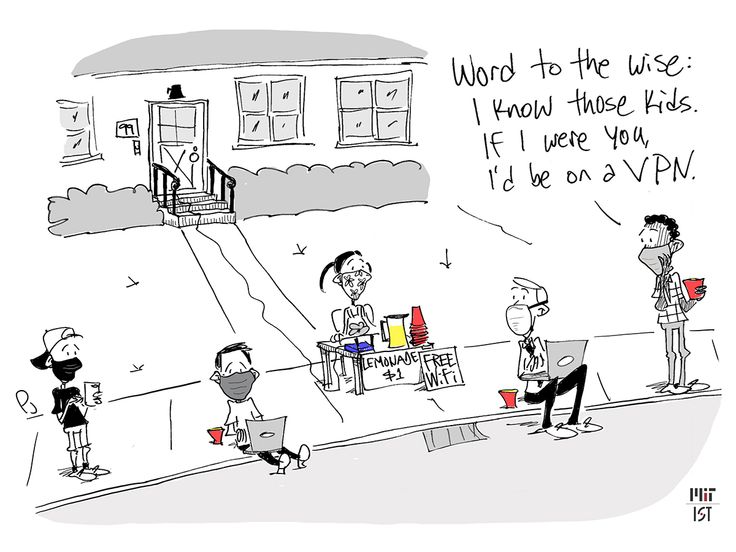 With an authentication service, you can keep unwanted users and hackers from getting into your network. This is done by outlining a privileged access management (PAM) system that forces users to authenticate their identities before connecting to your system.
VPN protects the connection — it creates a safer private tunnel when staff connect to company systems, especially on public Wi-Fi or remote work.
With a VPN, not only can you require all users to present login credentials, but you can also encrypt all the data that gets exchanged between them and your system. In this way, their devices, as well as your network, are protected from external threats.
10. Cloud-based security
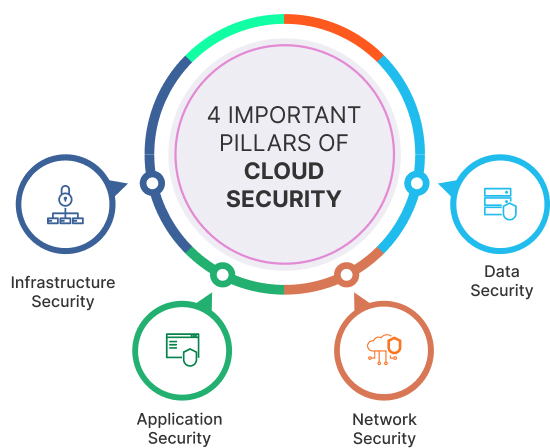 One of the main cybersecurity tools for small businesses is Cloud-based security – a broad term that refers to the technologies and policies used to protect cloud-based assets from cyberattacks.
Getting Cloud-based security means the protection is handled through an online security service instead of only installing tools on your own server or laptop.
These kinds of solutions safeguard cloud resources, such as your: Data, Applications Services and Cloud infrastructure. Other cloud-based security options include Akamai, Fastly, Imperva, Sucuri, StackPath, AWS Shield/WAF, Azure Front Door/WAF, Google Cloud Armor, Cisco Umbrella, Zscaler, Proofpoint, Mimecast, Barracuda, Perimeter 81, and Check Point Harmony.
11. Web application firewalls (WAF)
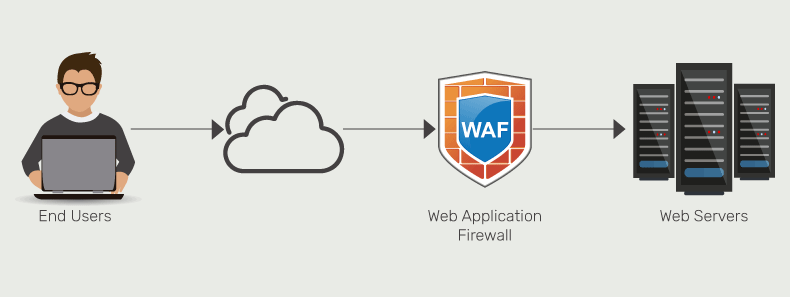
Do you or your business have a web app? That’s where WAF comes in.
Web application firewalls (WAFs) keep your web-based applications protected from hackers that may try to infiltrate them to steal information or exploit a vulnerability in a web app. All traffic being sent to and going from your web service is filtered, and if a threat is detected, the data associated with it can be discarded automatically.
Many small and medium businesses use WAFs to protect their web assets from hackers, distributed denial-of-service (DDoS) attacks, and other internet threats.
12. Vulnerability and threat management
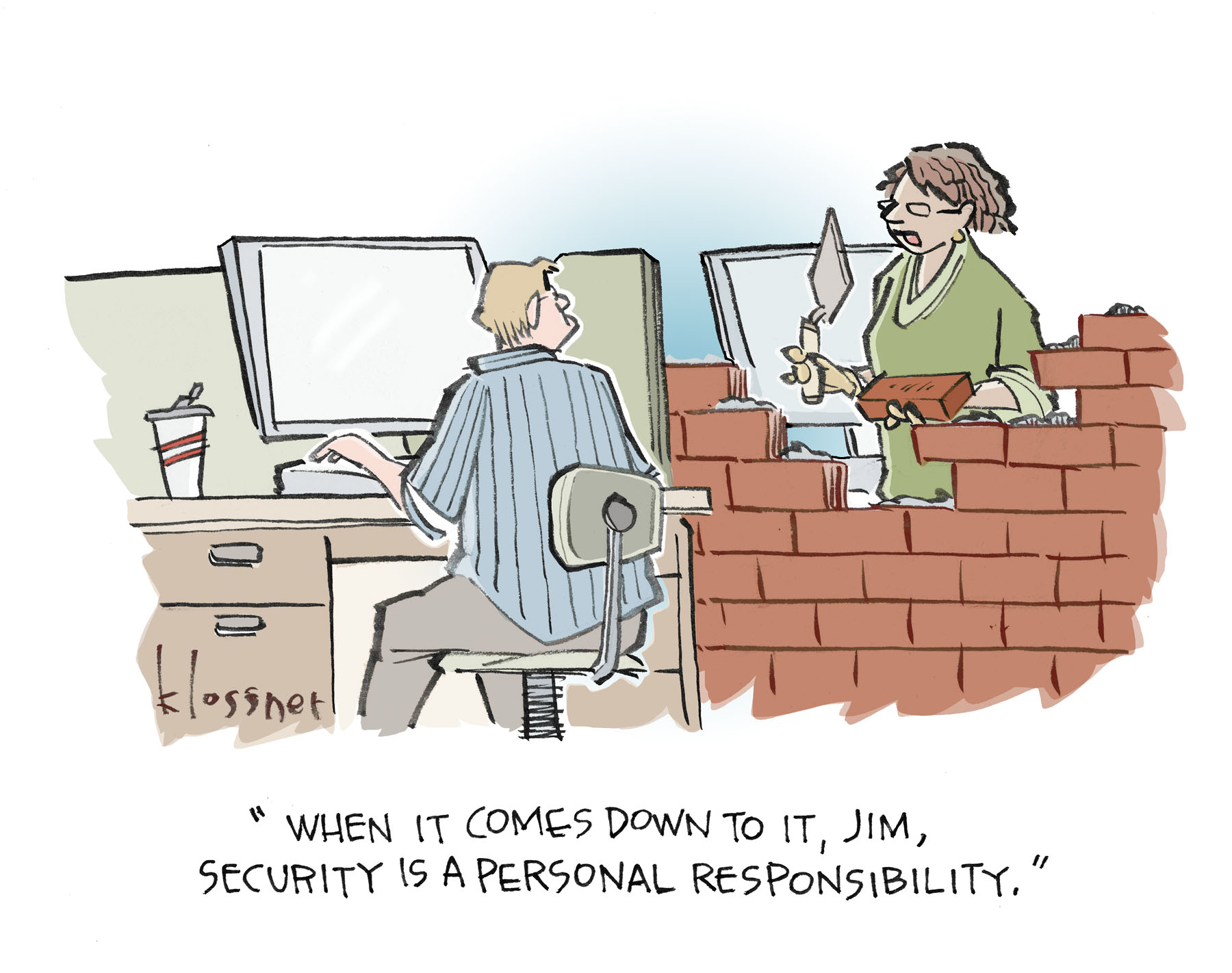 Vulnerability means finding weak spots before attackers use them, then fixing or reducing the risk.
A vulnerability is a weakness, like outdated software, weak passwords, exposed admin pages, missing patches, insecure plugins, or bad server settings. A threat is the danger trying to use that weakness, like hackers, malware, phishing, ransomware, or bots. So the cybersecurity tools for small businesses scan systems, websites, servers, apps, and devices, show what is risky, rank what matters most, and help the business fix the biggest problems first.
Vulnerability assessment also requires a system for reporting issues, enabling you to address weaknesses and prevent serious breaches down the road.
These tools, like Rapid7, work by scanning websites, servers, apps, cloud accounts, or devices, then listing weak spots like outdated software, exposed ports, bad settings, missing patches, or risky plugins. The tool then ranks the risks so the business knows what to fix first.
And finally,
13. Threat detection Systems
The services listed above are all doing some form of threat detection, but each one watches a different area.
A threat detection system is the bigger tool/platform that tries to bring those signals together and detect threats across many areas at once — network, devices, email, cloud, logs, user behavior, etc. But “do ALL” depends on the product: some only monitor and alert, some also block, some include sandboxing, and some need other tools feeding data into them.
A sandbox contains threats in an isolated environment, keeping them away from sensitive areas of your network. While the threat is within this controlled environment, its activity is carefully monitored, allowing admins to study and learn from it.
So in essense, Threat detection systems combine data from multiple security tools to identify suspicious activity across a business environment.
Are these the only Cybersecurity tools for Small Businesses
No. There’s more, but these are sufficient. And its companies like ours, though just launching our cybersecurity arm, that can help you get started and secure in your business. So contact us.
In concluding this very detailed and most important article, I’d say cybersecurity tools for small businesses are essential because they protect the business email, website, customer data, payments, staff devices, and online accounts. The basic stack is email security, DNS protection, website firewall, backups, password manager, 2FA, antivirus/EDR, and regular updates — not 20 tools, just the essentials.